
Introduction
The subscription and billing tab allows you to see what you are currently paying for your subscription, add or remove seats, and view a history of what has been paid.
Summary
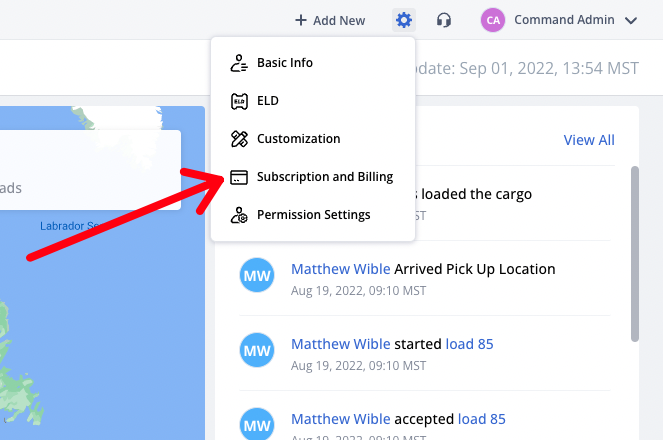
To access "Subscription & Billing", click on the gear in the upper right-hand corner and then click "Subscription & Billing".
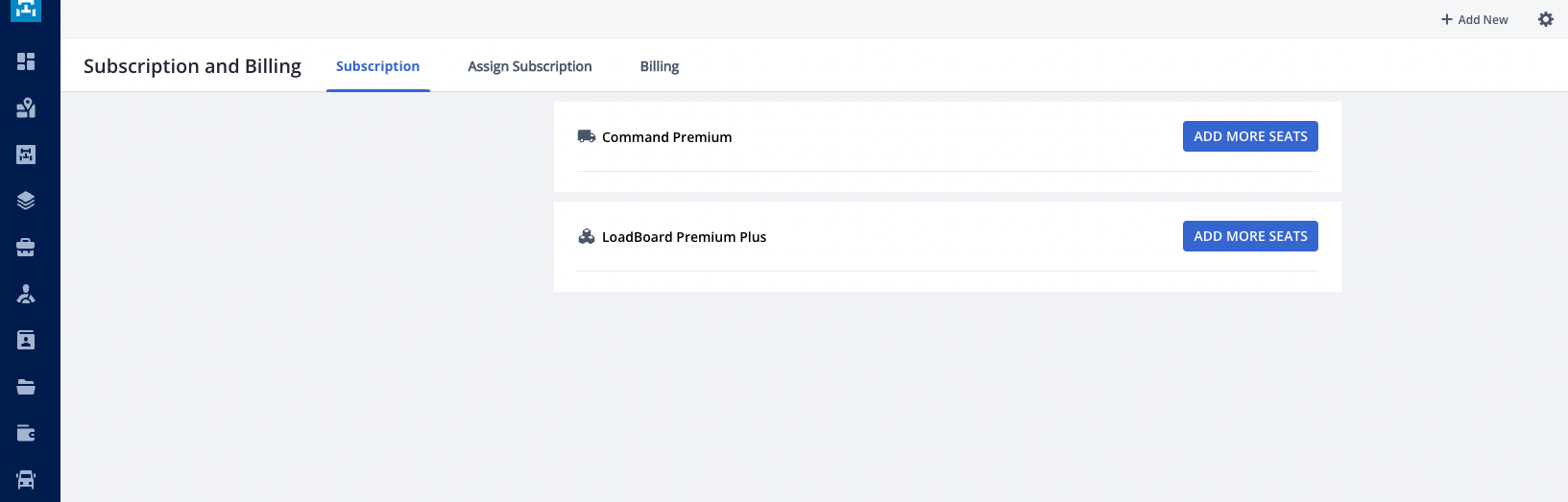
From this page, you can add seats to your COMMAND subscription or your TruckLoads subscription by clicking "+ Add Seats" next to the product you want to adjust.
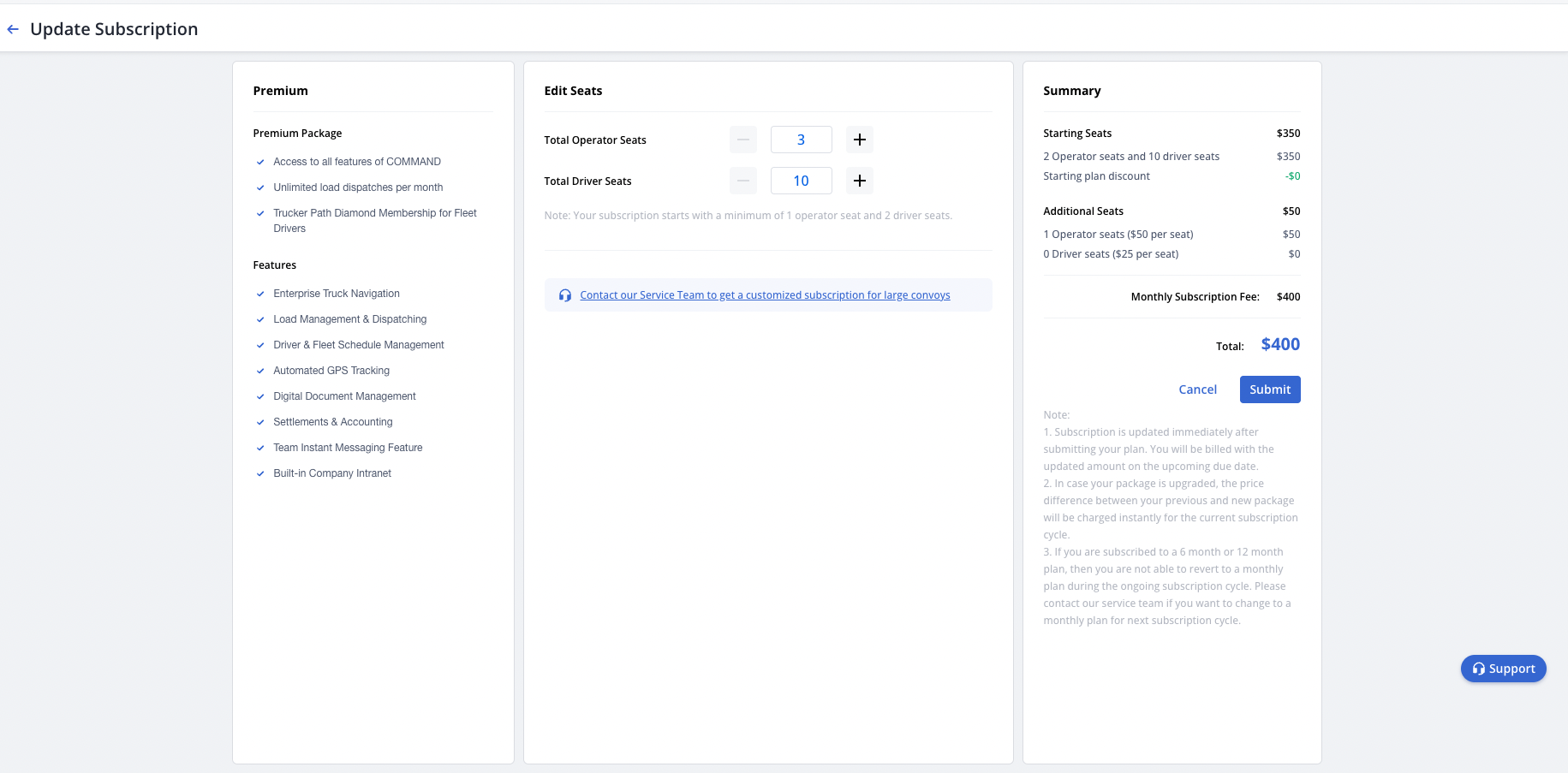
Adjust the total number of seats to your liking and then click "Submit" to save your changes.
Assign Subscription
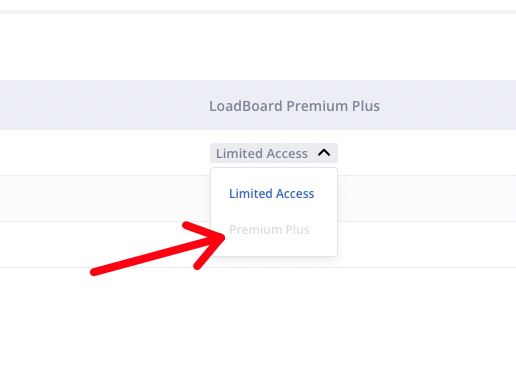
To assign a purchased load board subscription, click on the "Assign Subscription" tab. Locate the driver profile in the list and then click the dropdown next to their name to update it to premium plus.
Billing History
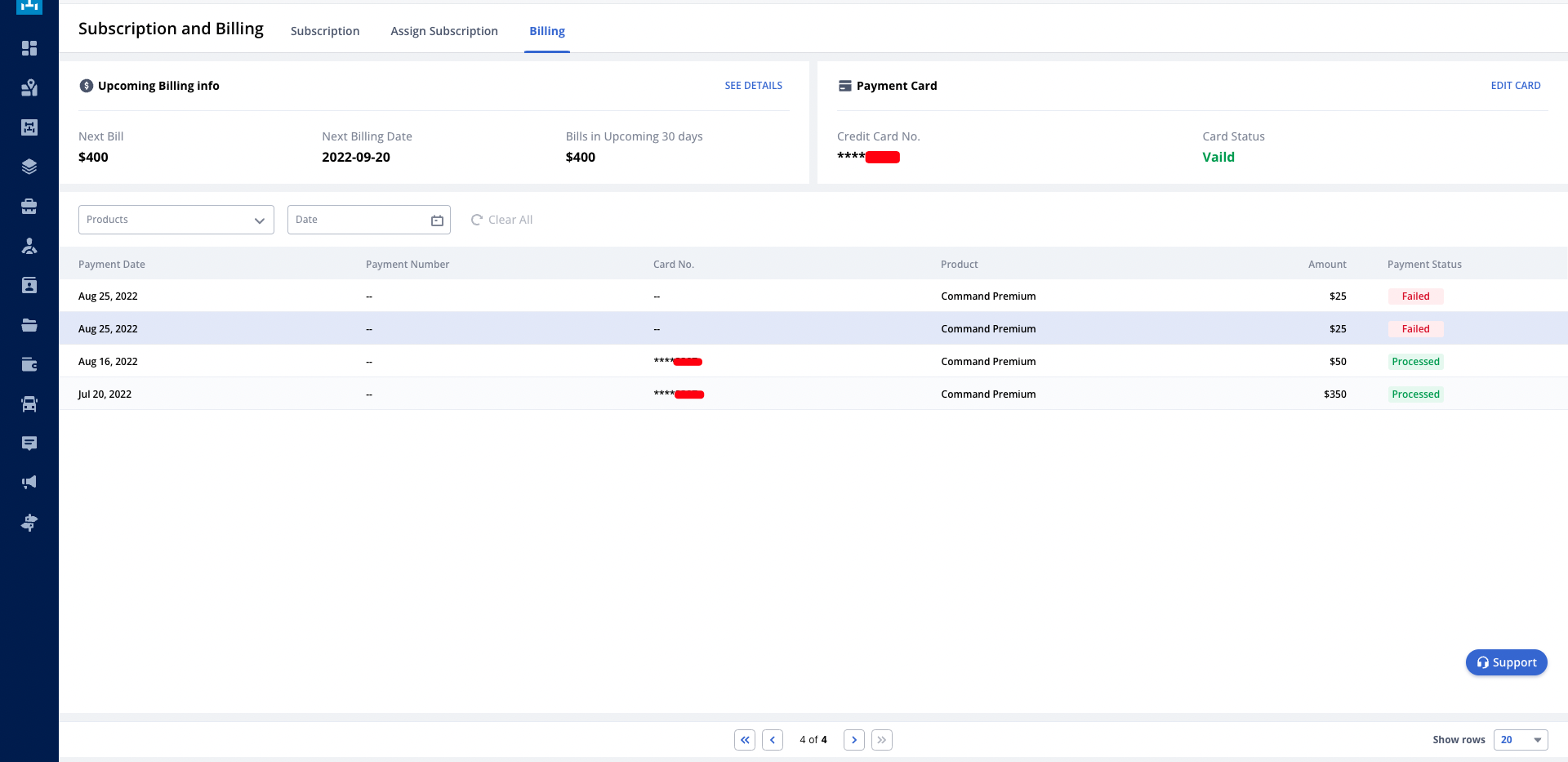
To see your billing history, from the Subscription & Billing tab, click "Billing". Here you can see a history of each charge and the total that was paid on each specific date.
Questions?
If you have any questions regarding this topic or any others, please reach out to our Support Team via email at commandsupport@truckerpath.com or by phone at +1 (833) 929-4441.
Comments
I did not purchase truck path prescription and do not want I was billed to my bank card $32 please refund my money to my card
I did not subscribe to trucker path and need my money sent back to my account $44.97 asap
I was charged for two subscriptions I need my money back my name is David wright
Please sign in to leave a comment.